X-NGO Charity CMS — The All-in-One, Self-Hosted Charity & NGO Management Platform
A complete, self-hosted charity and NGO management platform that unites a polished public website, a 28-resource admin panel covering fundraising, programmes, operations and compliance, and a built-in email marketing suite with open and click tracking — in a single Laravel 12 installation.

Get This App
Download the guide, request this app for your business, or talk to us about a sale or customization.
Multi-Platform Views
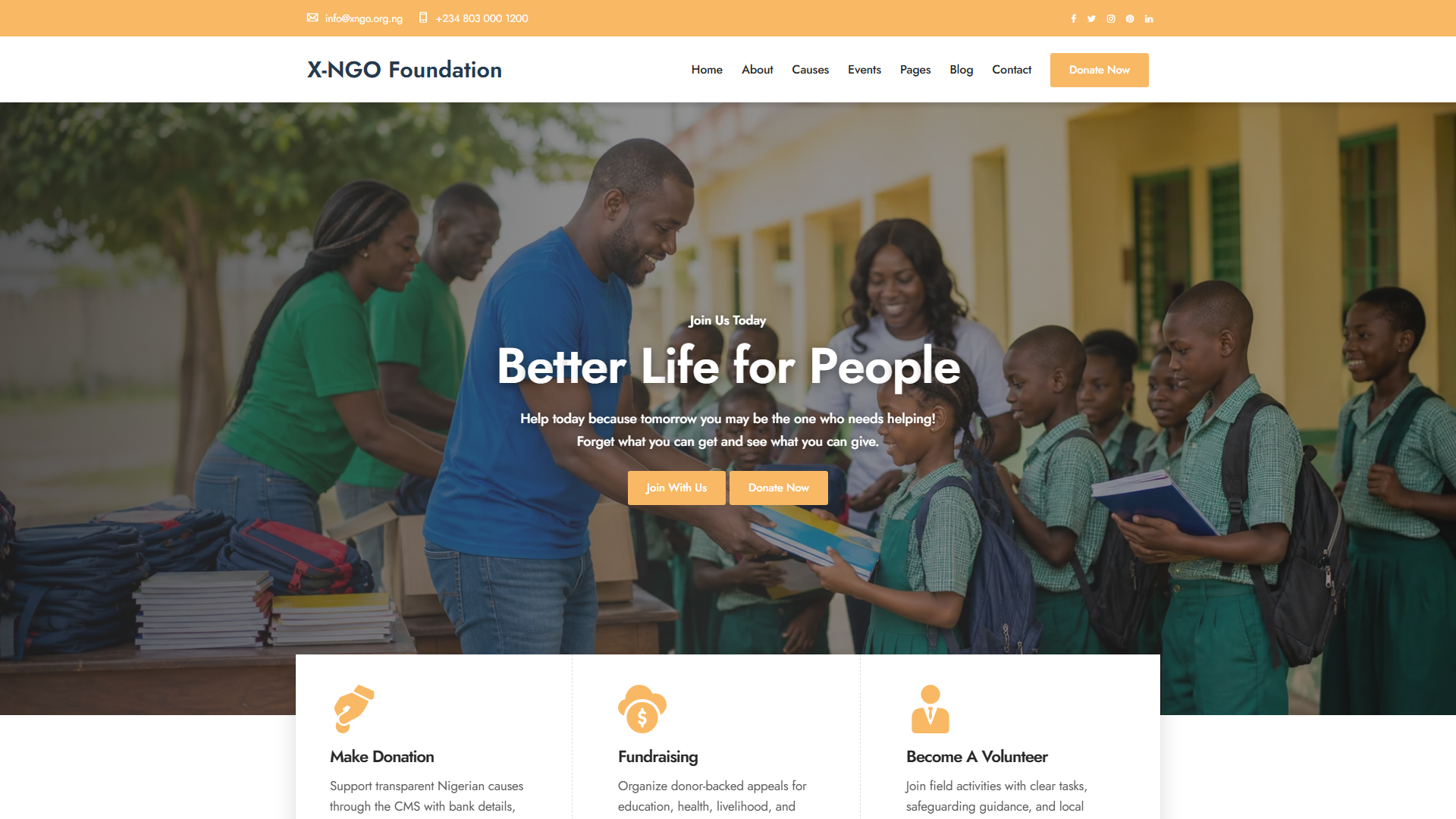

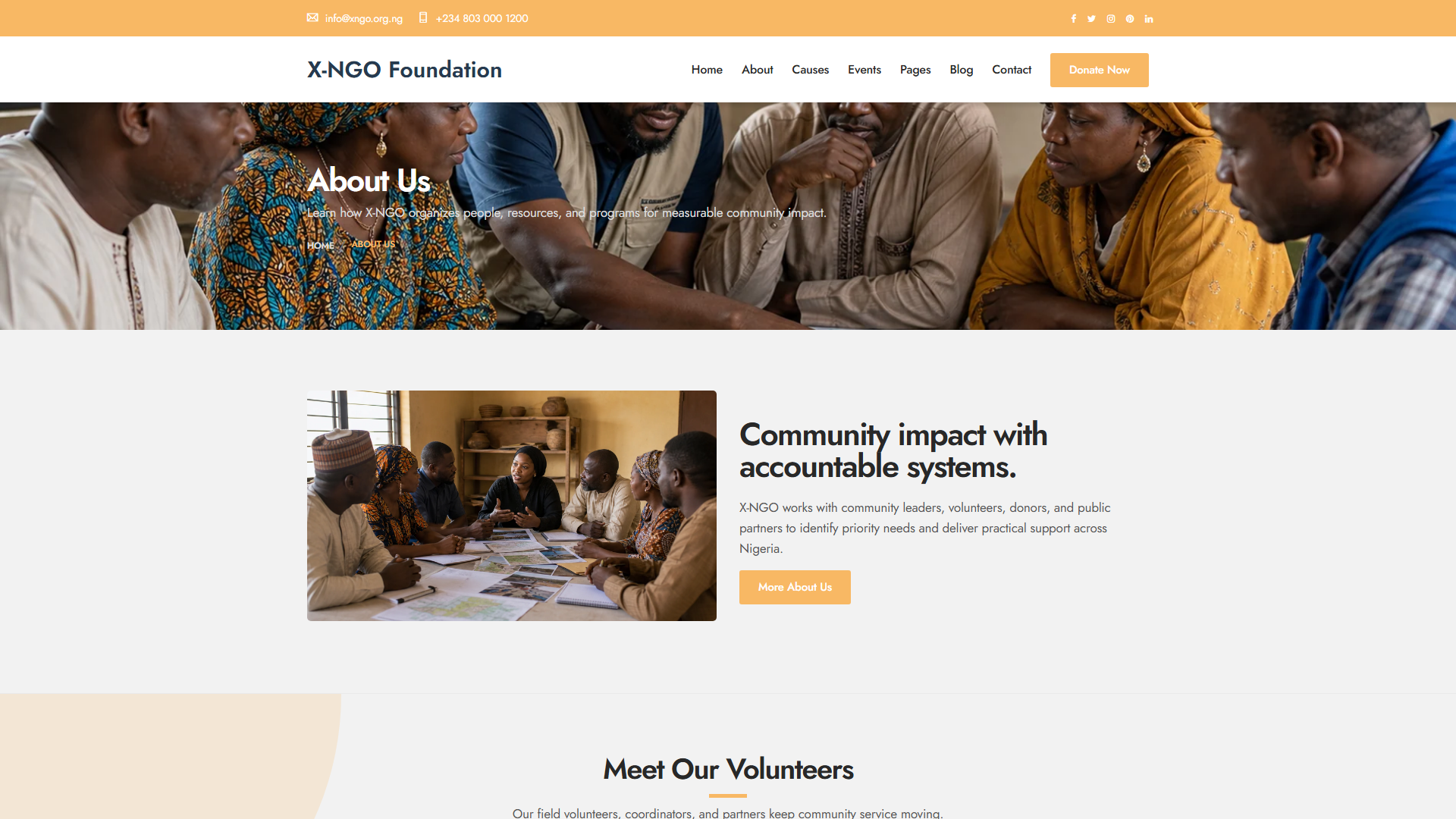


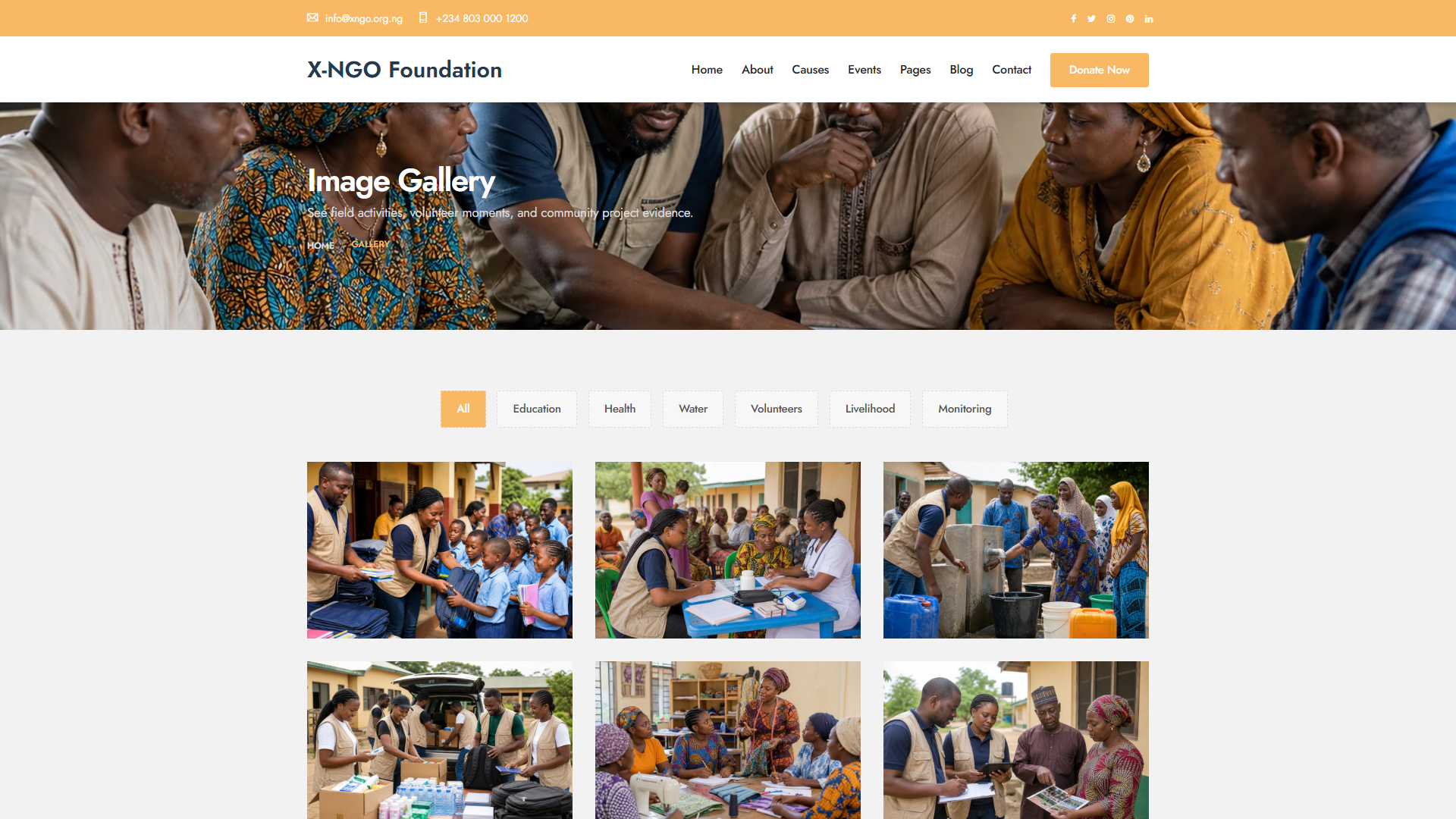
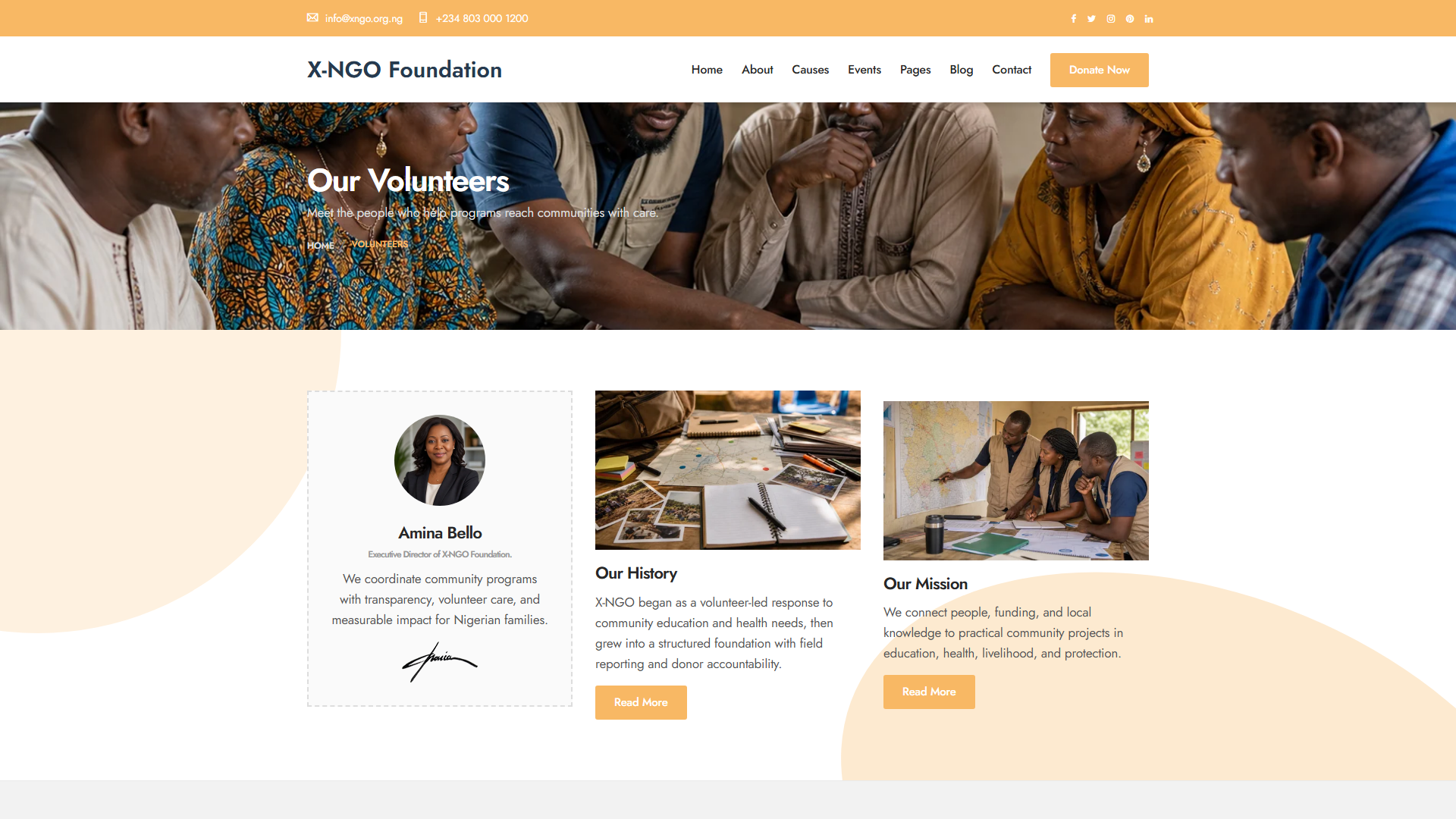




About This App
X-NGO Charity CMS is a complete, self-hosted charity and NGO management platform that brings three products together in a single installation: a polished public charity website, a powerful admin panel, and a built-in email marketing suite. Everything the public sees is edited through the admin panel, and every donation, document and project lives in one accountable system — with no monthly SaaS fees, no per-user pricing, and no vendor lock-in.
It is built for charities, foundations, NGOs, faith-based and community organisations, social enterprises and grant-funded projects — as well as the web agencies and resellers who serve them. Because the platform runs comfortably on standard cPanel, Namecheap or LiteSpeed-class shared hosting and defaults to a zero-configuration SQLite database, an organisation does not need dedicated infrastructure or a systems team to get started.
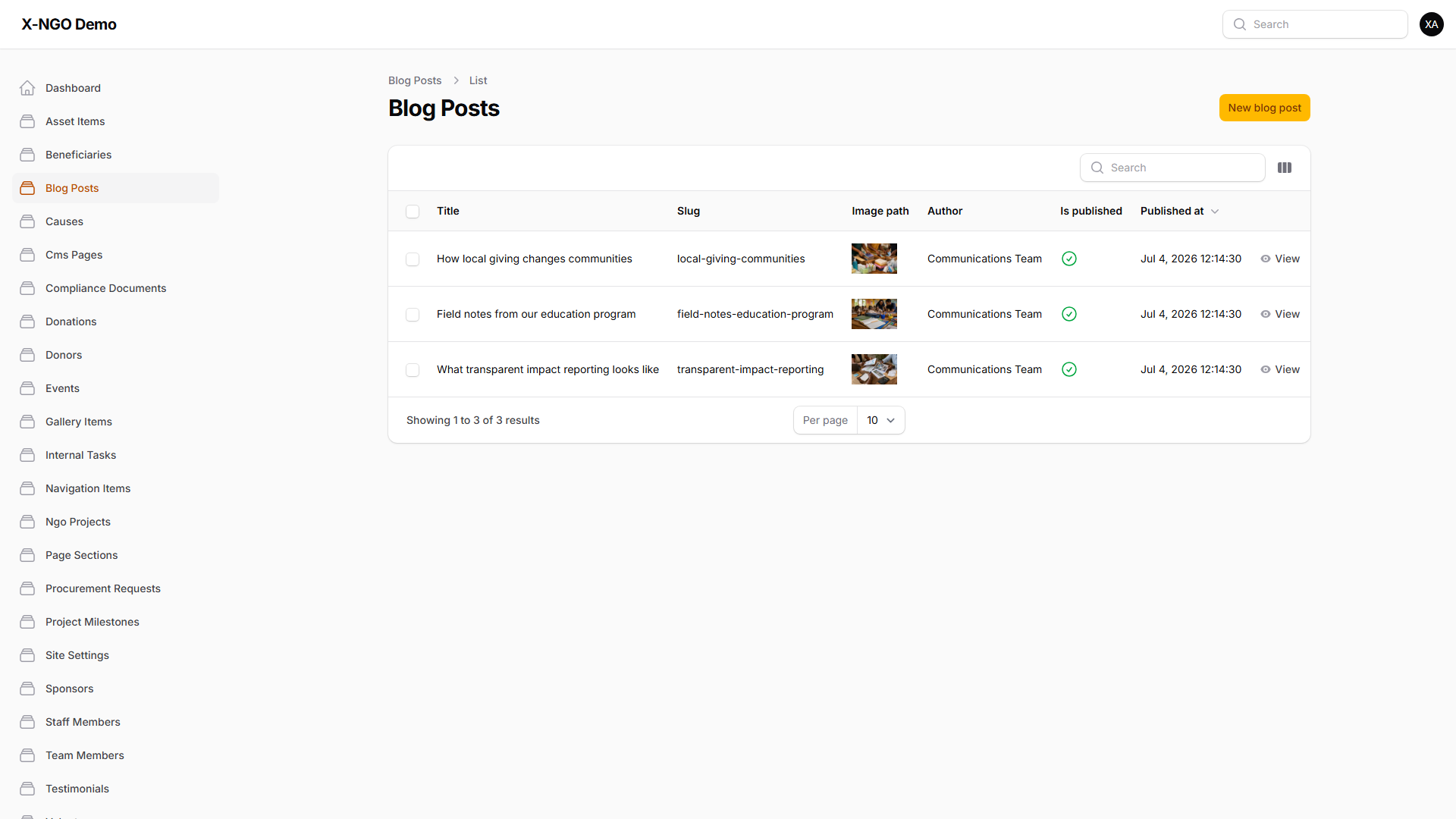
The public website ships with eleven modules and two distinct homepage designs — a classic layout and a modern layout — alongside About, Causes, Events, Gallery, Volunteers, Blog (with left and right sidebar variants), individual blog posts, Newsletter and Contact pages. The site is fully responsive across desktop, tablet and mobile, and every content element on it is managed from the admin panel rather than hard-coded into templates.
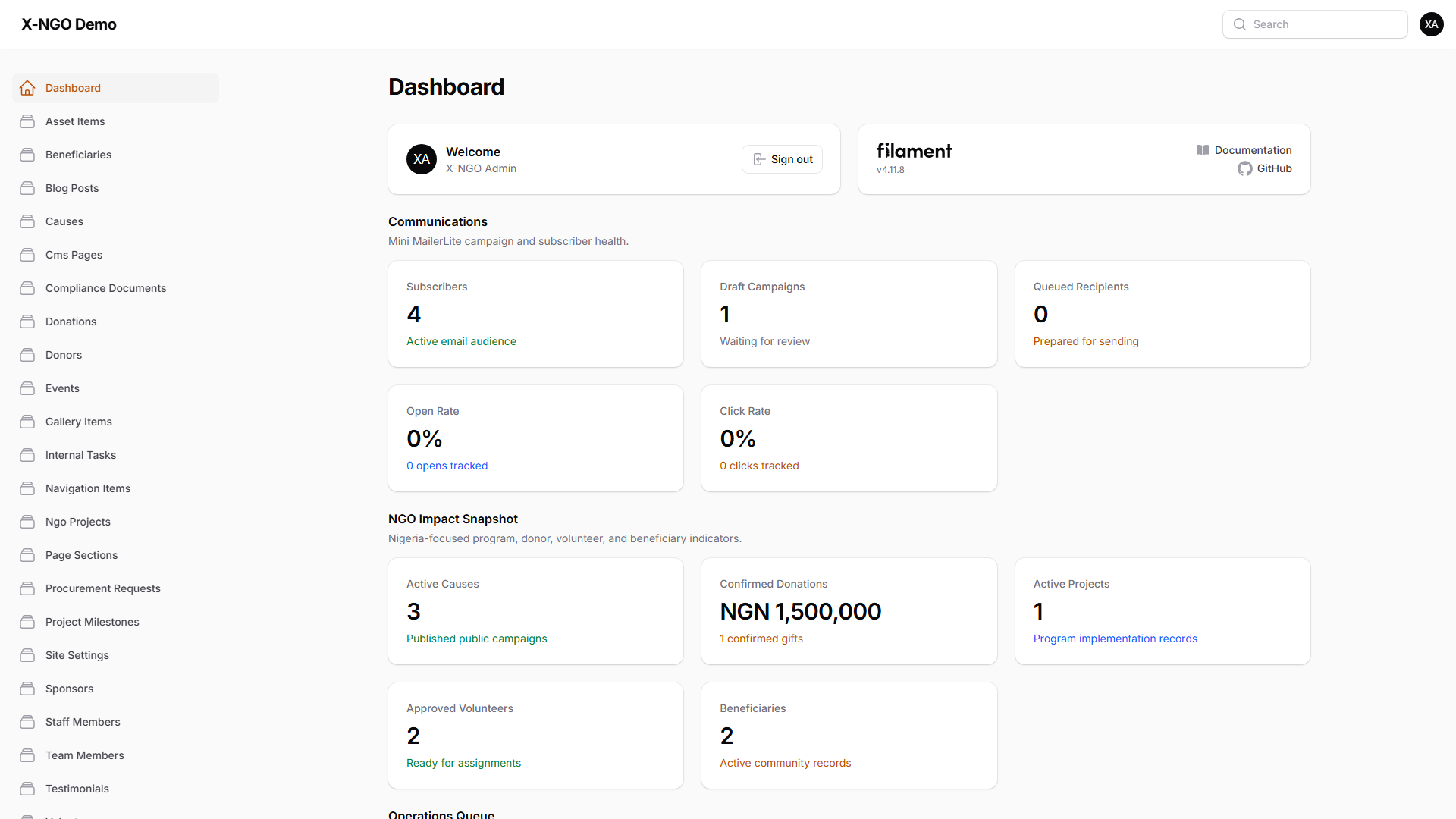
Behind the site sits an admin panel of 28 Filament resources grouped into clear operational domains. Fundraising and donor work is covered by Causes, Donations and Donors — every gift recorded with donor, cause, amount, currency, channel, reference and status, and active causes publishing to the website automatically. Programme delivery is handled through NGO Projects with budgets, statuses and timelines, Project Milestones, and consent-aware Beneficiary records. Operations and compliance are served by Procurement Requests with an approval trail, an Asset Register with values and conditions, a Compliance Documents vault carrying issue and expiry dates for registration, AML/CFT, tax and data-protection records, and Internal Tasks with priorities, assignees and due dates. Separate registers track Volunteers, Staff Members and public-facing Team Members.
The communications suite is a genuine email marketing engine rather than a contact form. Named Email Lists and Email Tags define and segment audiences; the campaign builder composes, targets, tests and queues sends; and Email Campaign Recipients hold per-recipient delivery, open and click state. Public newsletter signup and unsubscribe handling are wired into the site, and a Contact Messages inbox captures website enquiries with status tracking. Leadership sees the results on three live dashboard widgets on the admin home: Communications Overview (subscribers, campaigns, open and click rates), NGO Impact Overview (active causes, confirmed donations, projects, volunteers) and Operations Queue Overview (open tasks, pending procurement, expiring compliance documents).
Branding and configuration are handled entirely through the panel. Site Settings carries contact details, socials, donation bank details, footer content and impact statistics; CMS Pages and Page Sections compose editable static pages; Navigation Items manage the website menu tree; and Testimonials and Sponsors surface supporter quotes and partner logos. Production configuration is a matter of editing the .env file — application name and URL, mail transport, and optionally switching the database connection to MySQL.
A distinctive Demo Mode makes the same build safe to expose publicly for evaluation and sales presentations. Two independent guards — an HTTP middleware layer and an Eloquent persistence layer — block every write originating from a web request while DEMO_MODE=true, so no visitor can permanently mutate the database, uploads or settings regardless of how they approach the UI. Flipping a single .env switch converts that identical build into a fully writable production installation.
How It Works
1. Visitors arrive on the public website — served by SitePageController across 13 routes covering the classic or modern homepage, About, Causes, Events, Gallery, Volunteers, Blog and Contact, with active Causes, Sponsors, Site Settings and Navigation Items injected into every page by a shared view composer in AppServiceProvider.
2. Visitors convert — they subscribe to the newsletter or send a contact message; NewsletterController@store creates the EmailSubscriber against the chosen EmailList, and SitePageController@contactSubmit records a ContactMessage.
3. Leads land in the admin panel automatically — new subscribers appear under Email Subscribers and enquiries in the Contact Messages inbox with status tracking, requiring no import or manual re-entry.
4. The team records fundraising activity — Causes are created with goals, images and status (active causes publish to the website automatically), and each gift is recorded as a Donation against a Donor and Cause with amount, currency, channel, reference and status.
5. Programme delivery is tracked — NGO Projects carry budgets, statuses and timelines, Project Milestones mark delivery against each project, and Beneficiaries record the people served with consent tracking.
6. Operations and compliance stay accountable — Procurement Requests move through an approval workflow, Asset Items are registered with values and conditions, Compliance Documents are filed with issue and expiry dates, and Internal Tasks are assigned with priorities and due dates.
7. A campaign is composed and queued — the team builds an Email Campaign, targets it by Email List and Email Tag, and queues the send; EmailCampaignService matches recipients and enqueues one SendCampaignEmail job per recipient onto the database queue.
8. The worker delivers and tracks — php artisan queue:work processes each job, renders the CampaignMessage mailable per recipient, and records tracking tokens; the tracking pixel route and link redirect route then update per-recipient open and click state on EmailCampaignRecipient.
9. Leadership monitors live dashboards — the Communications Overview, NGO Impact Overview and Operations Queue Overview widgets on /admin surface subscriber and campaign performance, impact figures, and the operations queue including compliance documents nearing expiry.
Let's Build Your Business Solution
Transform your operational efficiency with SENUX. Our experts are ready to map your requirements to a powerful architecture.
Frequently Asked Questions
What exactly do I get in a single installation?+
Three products in one self-hosted deployment: a polished public charity website (home, about, causes, events, gallery, volunteers, blog, newsletter and contact), an admin panel of 28 Filament resources covering fundraising, donors, beneficiaries, projects, procurement, compliance, communications and content, and a built-in email marketing suite with subscriber lists, tags, campaigns with queued sending, and open and click tracking. Everything the public sees is edited through the admin panel.
What technology is it built on, and what do I need to run it?+
PHP 8.2 or newer (tested on 8.3) with the Laravel 12 framework and Filament 4 for the admin panel. You need Composer 2, the pdo_sqlite, mbstring, intl, fileinfo and zip extensions, a minimum of 128 MB RAM (256 MB recommended), and a domain or subdomain with its document root pointing at demo-build/public. It runs on standard shared hosting such as cPanel, Namecheap, SiteGround or Hostinger, behind Apache, LiteSpeed or Nginx.
Does it require a dedicated database server, Redis or other infrastructure?+
No. It defaults to SQLite at database/demo.sqlite for zero configuration on shared hosting, and uses the database driver for queues, cache and sessions — so no Redis or Memcached is required. MySQL, MariaDB, PostgreSQL and SQL Server are supported for production via standard Laravel configuration, and for scale you can move the queue, session and cache stores to Redis without changing any application code.
How does the email marketing engine actually send and track campaigns?+
You compose a campaign and target it using Email Lists and Email Tags. EmailCampaignService matches the recipients and enqueues one SendCampaignEmail job per recipient onto the database queue; a worker running php artisan queue:work processes them, rendering the CampaignMessage mailable for each recipient and recording tracking tokens. Delivery, open and click state is then held per recipient on Email Campaign Recipients, and the Communications Overview dashboard widget reports subscribers, campaigns and open and click rates.
Can donors pay online through the platform?+
Online payment gateways are not pre-wired. Donations are recorded as bookkeeping entries — each gift captured with donor, cause, amount, currency, channel, reference and status — and Site Settings holds donation bank details for the public site. Gateways such as Stripe, Paystack, Flutterwave and PayPal integrate through standard Laravel packages.
What is Demo Mode and why does it matter?+
Demo Mode makes the same build safe to expose publicly for previews, sales presentations and evaluation. It is enforced by two independent layers: the DemoMode HTTP middleware rejects every non-GET request while DEMO_MODE=true (except the navigation endpoints whitelisted in config/demo.php), and an Eloquent event guard registered in AppServiceProvider rejects every create, update, delete, restore or force-delete originating from a web request. Console commands such as migrations and seeding are unaffected. Turning DEMO_MODE=false in .env converts the identical build into a fully writable production installation.
Does it support user roles and permissions?+
Not out of the box. There are no custom policies, gates or role and permission tables — any authenticated administrator has full access to every panel resource. There is no public user registration; all admin accounts are provisioned internally. Because the panel is auto-discovered, adding policies or role separation is a standard Laravel extension task.
Is it mobile friendly, and is there a mobile app?+
The public website is fully responsive and works on desktop, tablet and mobile, and the package includes a responsive screenshot gallery at screenshots/index.html. The platform is delivered as a web application — a single monolithic Laravel deployment serving both the site and the admin panel — rather than a native mobile app.
How do I brand and configure it for my organisation?+
Branding and content are managed from the admin panel: Site Settings holds contact details, socials, donation bank, footer content and impact statistics; CMS Pages and Page Sections compose editable static pages; Navigation Items control the website menu tree; and Sponsors and Testimonials manage partner logos and supporter quotes. You can also choose between two homepage designs, classic and modern. Deployment settings live in .env — APP_NAME, APP_URL, the MAIL_* values for a real SMTP provider, and optionally DB_CONNECTION=mysql with your credentials.
How is it installed, and what backup story does it have?+
Upload demo-build.zip to your hosting account and extract it, point your subdomain document root at demo-build/public, then run composer install --no-dev --optimize-autoloader, php artisan migrate --seed, php artisan storage:link and php artisan optimize. The site is then at your domain and the panel at /admin, with the NgoDemoSeeder providing realistic demo content across every module. For backups, the SQLite database and the uploads under storage/app/public are ordinary files, so standard hosting backups or a simple file copy protect the entire application state.
Request This App for Your Business
Tell us your details and we'll send full information, pricing and next steps shortly.
From our Blog
View all →
AI Won't Replace Your Business — But Your Competitor Using AI Might | Senux
The threat was never the machine. It is the business down the road answering enquiries in under a minute while you sleep. Walk the response-decay track, flip the switchboard, and see the gap in real numbers.

The Hidden Cost of Ignoring Website Maintenance
Website neglect never sends an invoice. Scrub through 24 months of drift, watch the cumulative cost lines cross, and read the six costs that never appear on any bill.
Is Your Website Really Secure? Here's How to Find Out | Senux
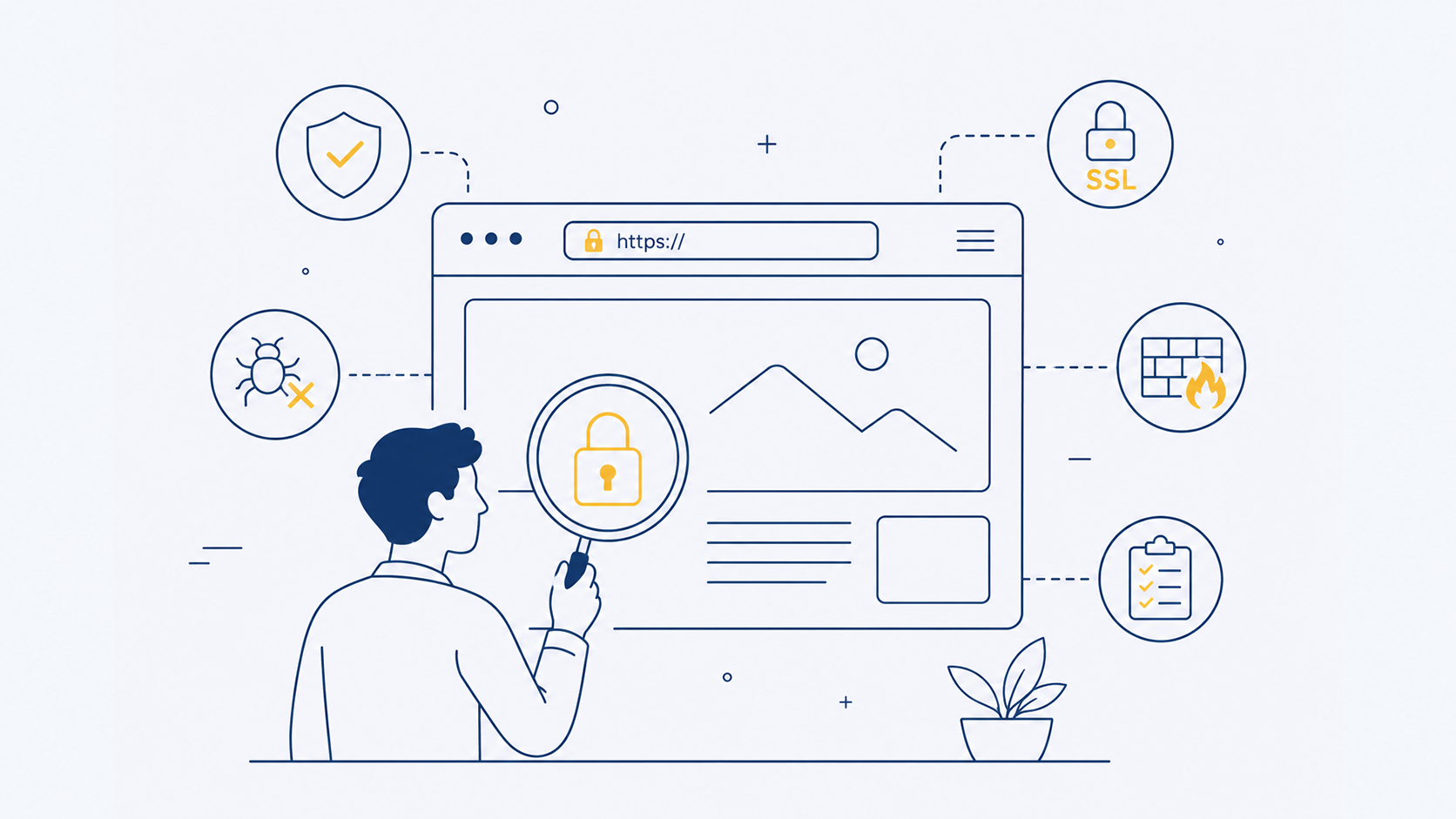
Most hacked websites look completely normal. Walk the seven ways in, watch the breach clock run, and run the 12-point inspection on your own site in about twenty minutes.

Your Website Should Be Your Best Employee
Your website works 720 hours a month and never takes leave. Here is the job description, a six-question appraisal you can score right now, and what it really costs.

5 Business Tasks You Should Never Do Manually Again
Data entry, invoice chasing, booking, reporting and onboarding quietly eat 7.6 hours a week. Here are the 5 tasks to automate first — and how Senux builds it.

You Don't Need an Email Automation Subscription
Email platforms bill you for contacts you already own. Senux builds scheduled sends, trigger sequences and reports into your dashboard — no monthly fee.

Stop Paying Employees to Do Repetitive Tasks
Your team loses about 7.6 hours a week to repetitive work — while you rent 25 subscriptions. Senux builds automation you own outright, with no monthly fees.

If Your Website Is WordPress, You're Missing a Lot
WordPress runs 41.5% of the web — and 13,000 sites are hacked daily, 91% through plugins. Here's what that really costs your business, and what Senux builds instead.
Do You Have a Backup for Your Website? If Not, You're at Risk
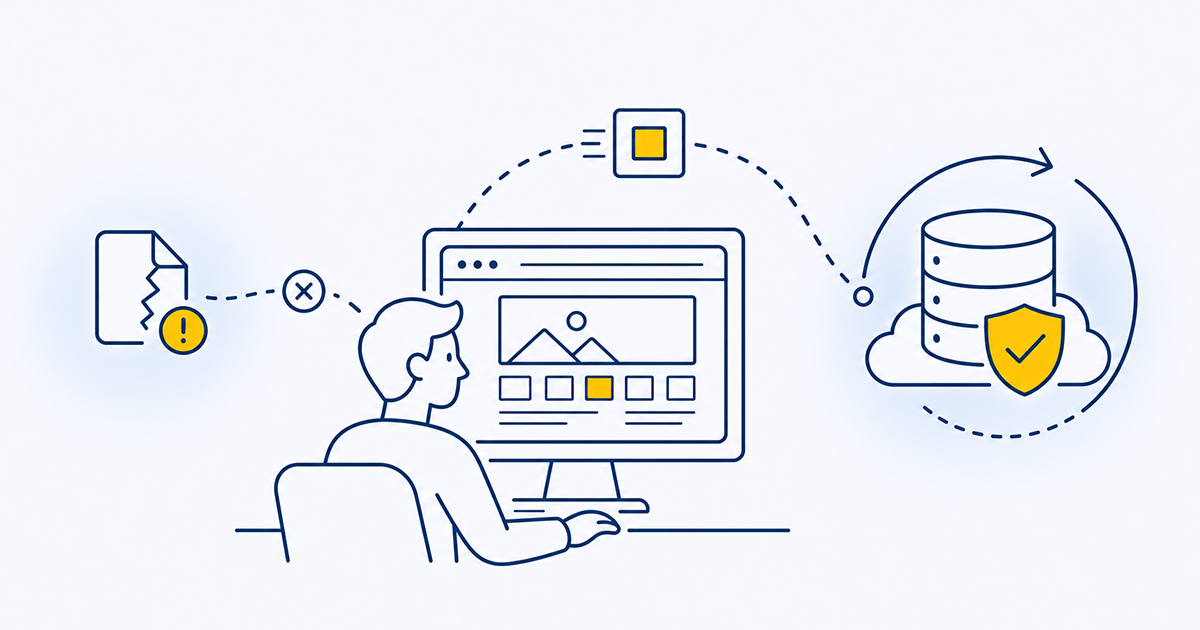
One bad update, hack, or server failure can erase your website overnight — and 60% of small businesses hit by major data loss close within 6 months. See why a backup isn